AI-generated and AI-enhanced models are becoming more common on 3dsky.At the same time, we’ve started seeing raw, unfinished results in the catalog — models that are out of scale, with broken geometry, messy UVs, or textures that make them difficult (or impossible) to use in real production.
To keep moderation consistent, we’re introducing a unified set of rules for submitting AI-assisted models.
Quality first
A model must be visually accurate and technically ready for use in a scene.
The very first AI output is only a draft. Before uploading, it needs to be taken to a final, production-ready state:
- correct the scale
- clean up and verify materials
- organize textures and fix the UV layout
Geometry requirements
The geometry must be clean and technically correct. The mesh should be readable and free from common artifacts of automatic generation:
- no random vertex splits
- no overlapping polygons
- no unnecessary polygon density where it isn’t needed
A model may consist of a single polygonal object, as long as its structure doesn’t interfere with how it will be used inside real scenes.
Accepted file formats
Accepted file formats: .max, .fbx, .obj. Files should have clear names and a well-organized internal structure.
AI disclosure
If a model was fully or partially created using AI, you must mention this in the description.
Added value for users
AI-assisted models must serve as a solid, usable base — not as a rough draft. Every such model should save the user’s time by providing a clean, editable starting point.
Artifact check
Before uploading, inspect the model for:
- geometry issues (splits, intersections)
- broken UVs
- flipped normals
- missing materials
- overlapping polygons
If something looks uncertain, it’s better to take another manual pass and fix problem areas.
Final artist pass
Every model must go through a final manual review. At this stage, it’s important to:
- refine proportions and silhouette
- polish key details
- ensure the mesh and UVs are clean and consistent
- confirm the model can be used in a real project without issues
Example of a high-quality model
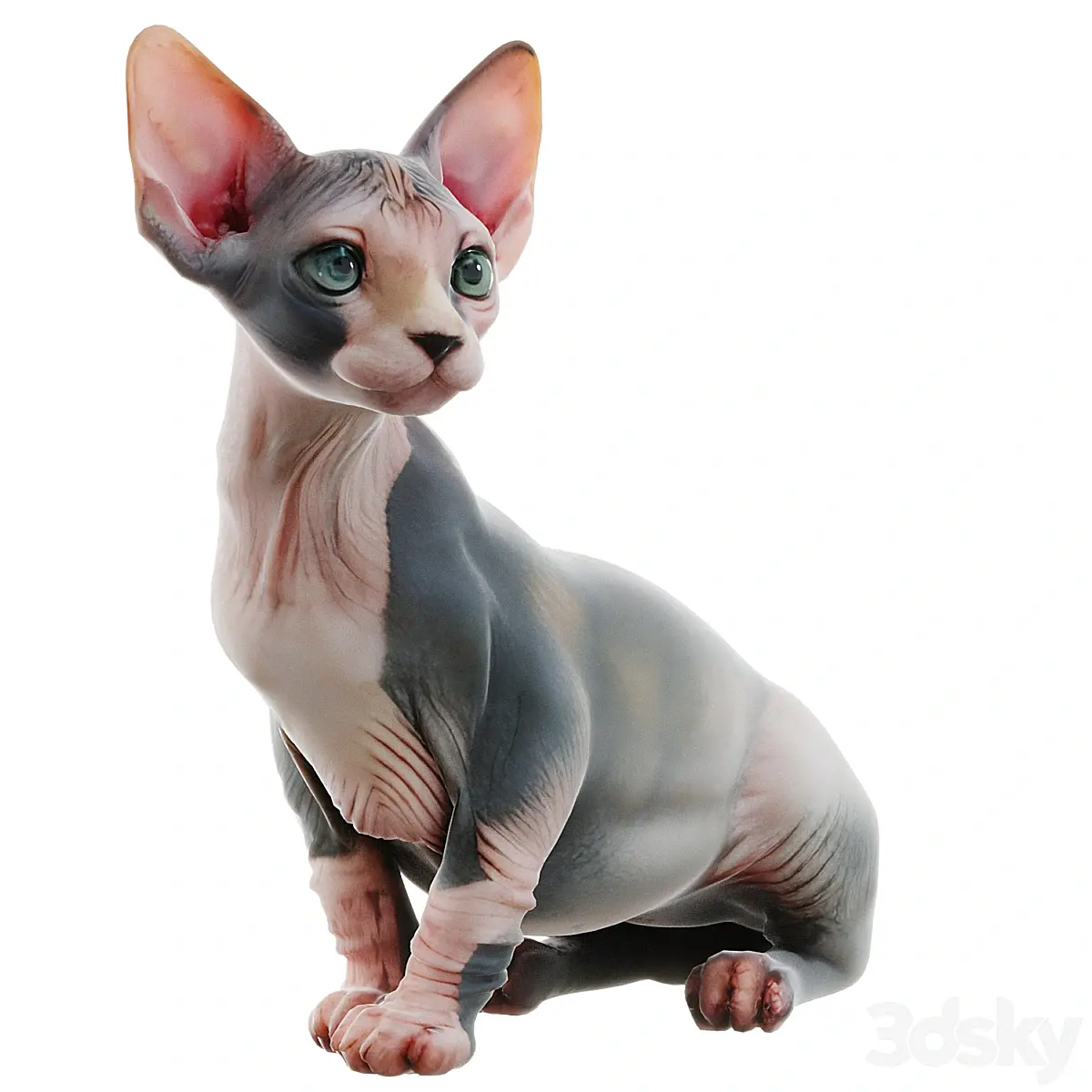
Why it meets the new requirements:
- Geometry: clean mesh, no noise, readable anatomy.
- Detailing: small features (skin folds, muzzle, claws) are well-defined without unnecessary complexity.
- UVs & Materials: organized UVs with no stretching or artifacts; materials behave predictably in render.
- Ready to use: the model can be dropped into a scene and rendered immediately.
Such a model meets our quality standards regardless of whether AI was involved in its creation.
Example of a model we cannot accept
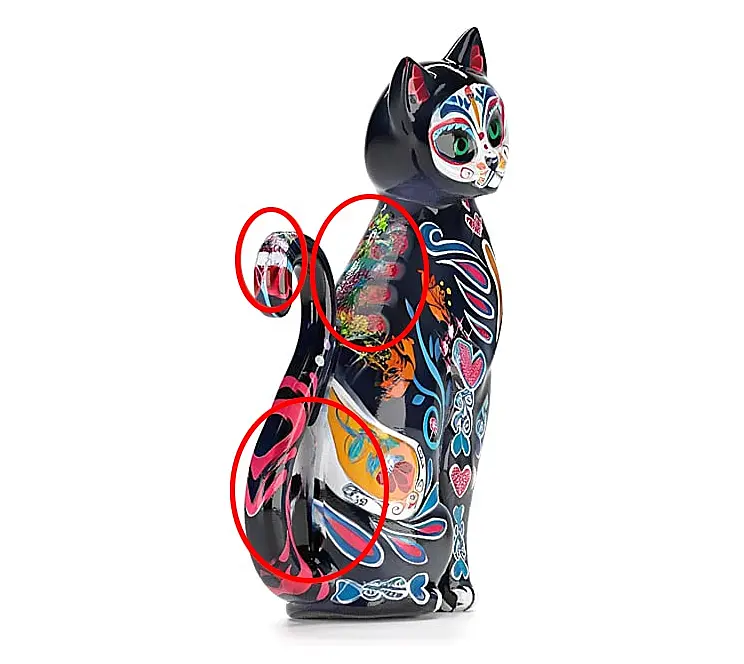
Typical issues in similar AI-generated results:
- Texture artifacts: smudged transitions, noise, and torn edges — often caused by unrefined, auto-generated textures.
- Geometry issues: uneven topology, unnecessary polygons in transition areas, shape inconsistencies that may not show up on a quick render but become an issue during further work.
- Inconsistent detailing: decorative elements sliding across seams or breaking at edges — a common sign of raw AI generation without manual cleanup.
- UV problems: auto-generated UVs with no manual correction, leading to stretched areas, repeated patterns, and unpredictable texture behavior.
In this state, the model isn’t suitable for the catalog: it can’t be reliably refined, doesn’t behave predictably in scenes, and does not save the user’s time.
This is our starting point
This set of rules is the baseline. We’ll continue adjusting and expanding the document as we gather real cases, feedback, and questions from authors and moderators.